
Settings
In the project settings, administrators can make basic settings, manage permissions, and book subscriptions. The dialog is accessible via the header by clicking on the project name under Project settings & subscription.
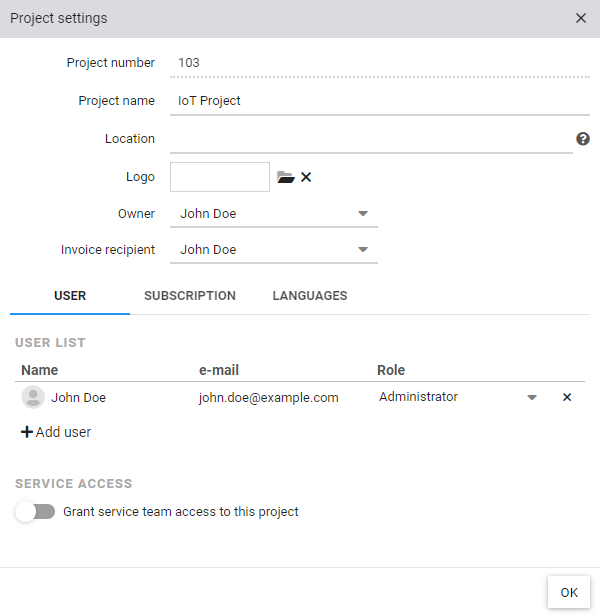
| Project number | The project number is automatically assigned by the system and is required during data connection |
| Project name | The name of the project or object that will be represented in the cloud |
| Owner | The owner of the cloud project |
| Invoice recipient | The invoice recipient for automatic invoice sending |
In the individual tabs, the user management can be opened, the subscription can be booked and the languages can be set.
Extended
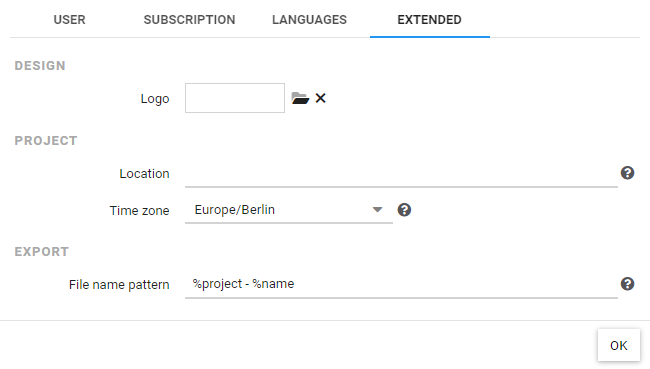
| Logo | A custom logo for the header |
| Location | The location to display in the map view (see also position input) Used in the map view by all cloud adapters with automatic positioning. |
| Time zone | The time zone for user-independent objects |
| File name pattern | Naming scheme for file exports |