
INSYS icom
The Universal Cloud Adapter is compatible with all INSYS MRX/MRO, SCR/ECR and .neo devices running firmware version 5.0 or later. It is installed as a container via the web interface of the device.
Installation
First, download the container: anyvizcloudadapter.tar
Then proceed as follows to upload and configure the container:
- Connect to the device via Ethernet
- Open the web interface of the device in a browser (default: https://192.168.1.1)
- Navigate to Container
- Upload the file anyvizcloudadapter.tar
- Click Edit
-
Set User group for CLI without authentication to Read/Write

-
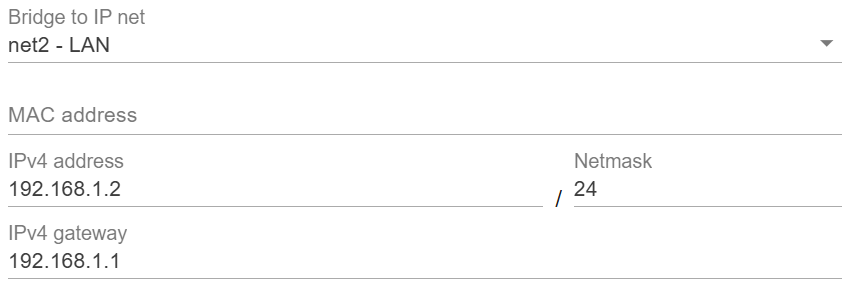
Under Bridge to IP net, select an existing network and configure a valid IPv4 address and gateway for the container
- Click Save settings
-
Click Activate profile

Note: CLI access without authentication is required for the Cloud Adapter to work correctly.
Setup
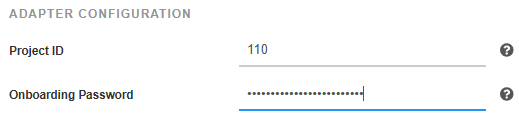
After less than a minute, the web interface of the Cloud Adapter is available at the IP address configured for the container (e.g. http://192.168.1.2). Enter the AnyViz project ID and an onboarding password there.
 Universal Cloud Adapter