


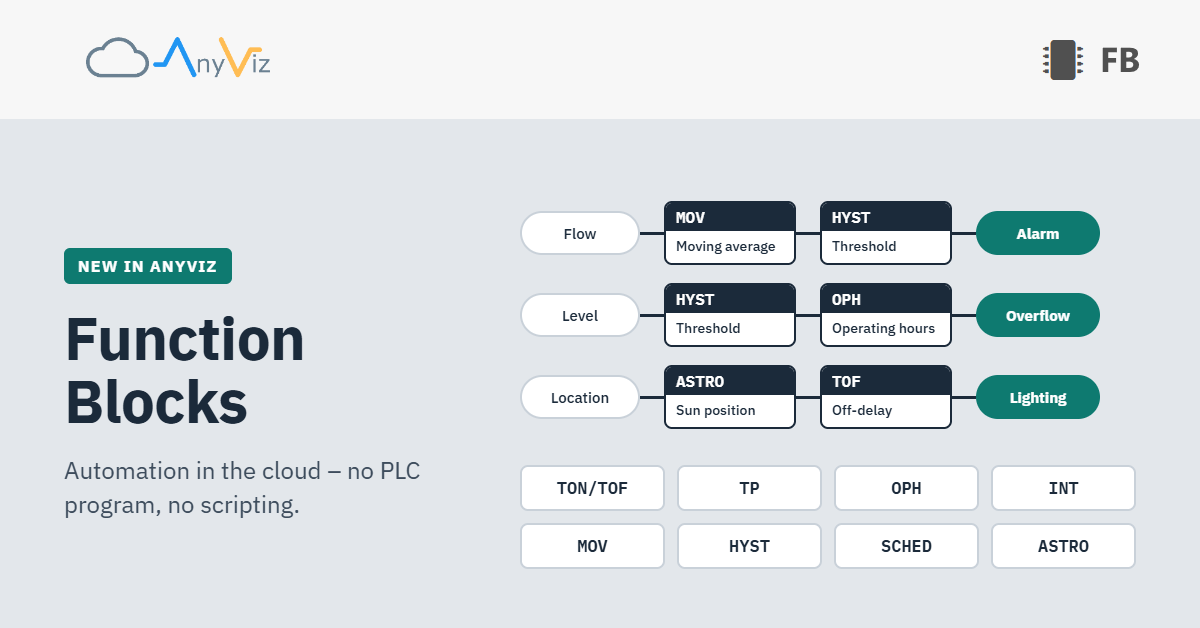
A fan needs to run on, a pump needs to count its operating hours, the outdoor lighting needs to switch with dusk. Tasks like these can now be solved in AnyViz with function blocks: directly in the cloud, without a PLC program and without a script.
Many automation tasks come up again and again in almost every project. A signal needs to be passed on with a delay, a flow rate summed up into a quantity or a measured value smoothed. Until now, this required either logic in the PLC, a Lua script in the Universal Cloud Adapter or a calculated value with its own formula.
With the new function blocks, these functions are now available ready to use. They are created with just a few clicks and can be configured without any programming knowledge.
Source in, result out
A function block continuously calculates its value from an existing tag, the so-called source, or from the current time. The result is itself a tag again. As usual, it can be visualized, recorded, used for alarms or used as the source for another tag that then switches something.
Function blocks are created in the object tree in the new Function Blocks node. After selecting the desired block, only the source and a few function parameters need to be defined, such as a delay time or a threshold.
The calculation runs centrally in the AnyViz Cloud. If a source was offline for a while and its data is delivered later, blocks such as the Moving Average or the Operating Hours Counter automatically recalculate the affected period.
Users with a PLC background will recognize familiar blocks according to IEC 61131-3. Abbreviations such as TON, TOF or TP appear in brackets after each name for orientation. No PLC knowledge is required to use them.
Eight blocks to start with
Eight function blocks are available from the start:
| Function block | Function | Practical example |
|---|---|---|
| On/ (TON/TOF) | Switches the output on and/or off with a delay | A fan keeps running for 10 minutes after being switched off |
| Pulse Timer (TP) | Switches the output on for a fixed duration | A flushing pump is started with a click in the visualization and runs for exactly 10 minutes |
| Operating Hours Counter (OPH) | Counts the time during which a signal is active | Maintenance interval of a pump after 2,000 operating hours |
| Integrator (INT) | Sums up a flow rate or a power into a total quantity | The flow rate in m³/h becomes the pumped volume in m³ |
| Moving Average (MOV) | Calculates the time-weighted average over a moving time window | Moving hourly average for limit values in the water industry |
| Threshold Switch / (HYST) | Switches on at a turn-on threshold and off at a turn-off threshold | Cooling on from 8 °C, off below 6 °C |
| Time Schedule (SCHED) | Switches according to a weekly schedule with special days | Heating only during operating hours, off on public holidays |
| Sunrise/ (ASTRO) | Switches depending on the position of the sun at the location | Outdoor lighting from dusk until morning |
Two blocks work without any source at all. The Time Schedule follows a freely definable weekly schedule. The Sunrise/Sunset Switch calculates the times astronomically for each day and thus automatically adapts to the season. No brightness sensor is required.
Combining blocks
Since every function block is itself a tag, it can in turn serve as the source for another block. This makes it possible to build more complex sequences without a single line of code:
- Limit value monitoring at a wastewater treatment plant: A Moving Average over one hour serves as the source for a Threshold Switch. The switch does not react to short peaks, only to a sustained exceedance.
- Overflow duration at a stormwater overflow tank: A Threshold Switch detects from the level when the tank overflows. A downstream Operating Hours Counter sums this up into the overflow duration, which often has to be documented.
- Maintenance based on running time: An Operating Hours Counter records the running time of a pump, and an alarm signals the next maintenance interval. After maintenance, the counter is reset directly in the visualization.
For tasks that have to run locally and without a connection to the cloud, Lua scripting in the Universal Cloud Adapter remains the right choice. Both approaches can also be used together.
Available now
Function blocks are available to all AnyViz customers starting today. A detailed description of each block with timing diagrams and examples can be found in our online help.
We will gradually expand the range of function blocks. Is there a block missing for your application? Please feel free to contact us.